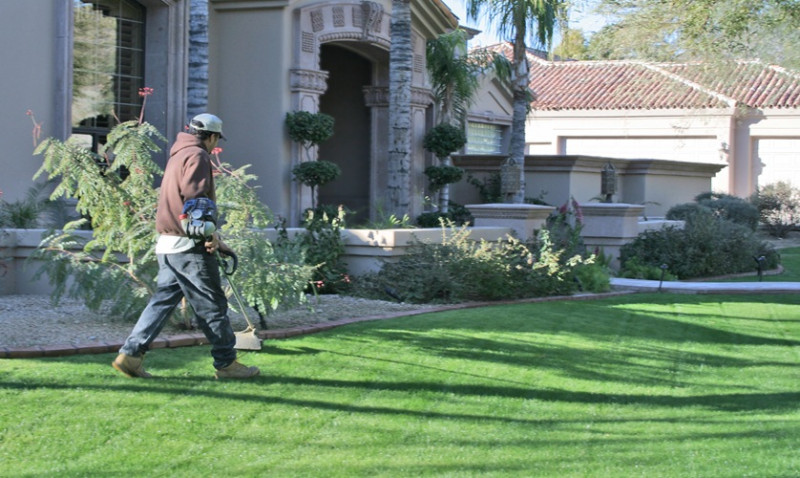
If you're running a landscaping outfit from the back of a van, you already know that every pound matters. Equipment costs money. Materials cost money. And paying someone to handle admin, marketing, or customer scheduling? That's a luxury most small operators can't afford.
But here's the thing. Artificial intelligence has democratised tools that used to cost hundreds per month. Some of the best options don't cost anything at all.
ChatGPT Free Tier: Your New Admin Assistant
OpenAI's free version of ChatGPT lets you generate text without paying a subscription. For landscapers, this means real, practical uses.
Need to write a professional quote for a client? ChatGPT can help you structure it properly. Got twenty customer enquiries and no time to respond thoughtfully? You can draft personalised replies in minutes rather than hours. Creating social media posts about your autumn garden maintenance services? Feed it some details and watch it produce something usable.
The free tier has limitations. You won't get priority access or the latest model updates. But for a small business owner juggling multiple jobs, it's genuinely useful. Just don't treat it as a replacement for your own voice or knowledge. The best results come when you edit what it produces and make it sound like you.
Canva Free: Design Work Without Hiring a Designer
Most landscaping businesses need visual content. Before and after photos of garden transformations. Posts for Instagram showing new patio installations. Maybe a simple flyer for a local shop.
Canva's free plan gives you thousands of templates. You can create professional-looking graphics in minutes. The paid version costs £13 per month, but honestly, the free tier covers most small business needs. Upload your photos, add text, adjust colours, and you've got something that looks planned rather than thrown together.
This saves you either the cost of a designer or the hours you'd waste learning Photoshop.
Google Forms: Collecting Information That Actually Matters
Want to know what your customers really think about your work? Need to gather project details before you arrive on site? Google Forms is free and surprisingly powerful.
Build a quick form asking customers about their garden conditions, budget, and timeline. Share the link via email or WhatsApp. Responses go straight into a spreadsheet you can review. No paper, no scattered notes, no information lost because you forgot what you promised Mrs. Henderson in Guildford.
It's especially useful for seasonal work. Before the spring rush starts, send a form to previous customers asking if they need maintenance. You'll know which jobs are likely coming without having to ring everyone up.
Descript: Transcribing Your Site Notes
Here's a workflow many landscapers don't realise they need. After a site visit, you've got notes, photos, and voice recordings on your phone. Turning that into a proper quote or scope of work takes forever.
Descript's free plan lets you upload audio or video and it automatically transcribes it. For a landscaper, this means recording yourself describing what needs doing on a site, uploading it, and getting a text version you can edit into a proper quote. The accuracy isn't perfect, but it's close enough to save serious time.
You can use the free version for up to 600 minutes per month. That's plenty for most small operations.
Grammarly Free: Stopping Embarrassing Typos
When you're messaging a client or creating marketing content, spelling and grammar matter. Rightly or wrongly, people judge your professionalism on the quality of your writing.
Grammarly's free browser extension checks your work as you type. Email looks more polished. Your website copy doesn't have random apostrophes in the wrong places. Your quote to a potential customer reads like it came from someone who knows what they're doing.
The paid version adds style suggestions and tone detection, but the basic version catches the mistakes that actually harm your reputation.
Unsplash and Pexels: Free Stock Images
Sometimes you need an image for your website or a social post and you don't have the perfect photo ready. Stock photo sites used to charge £20 per image. Now you've got Unsplash and Pexels offering thousands of high-quality images completely free.
Looking for a nice garden photo? A lush green lawn? Someone working with tools? It's all there. No attribution needed, though crediting the photographer is nice.
This stops you either paying for images or using blurry phone pictures that undermine your professional image.
Mailchimp Free Plan: Email Marketing Without the Cost
Building a mailing list of past and potential customers is valuable. But email services cost money. Mailchimp's free tier covers up to 500 contacts and lets you send unlimited campaigns.
For a small landscaper, this means you can send monthly tips about garden care, announce special offers, or remind customers about seasonal work. You're staying visible without being pushy. And you're not paying per email or per contact.
The interface takes some learning, but plenty of YouTube tutorials walk you through it.
Keep Your Expectations Realistic
Free tools come with trade-offs. Watermarks on designs. Limited features. Ads on the platform. Occasionally, they stop supporting free accounts entirely. The companies offering these tools hope you'll eventually upgrade, and sometimes you will when you grow.
But right now, when you're bootstrapping, they work. Use them. They're there to help businesses like yours get started without debt.
The best approach is picking three or four tools that solve your actual problems, learning them properly, and getting good at using them. That beats trying ten tools poorly.
Trending articles
-
 Soft vs Hard Landscaping in the UK: A ...
Apr 2026
Soft vs Hard Landscaping in the UK: A ...
Apr 2026
-
 Garden Design Ideas for UK Gardens ...
Mar 2026
Garden Design Ideas for UK Gardens ...
Mar 2026
-
 Patio Installation in the UK: ...
Mar 2026
Patio Installation in the UK: ...
Mar 2026
-
 Garden Landscaping Costs in the UK: A ...
Mar 2026
Garden Landscaping Costs in the UK: A ...
Mar 2026
-
 Why Landscapers and Gardeners Should ...
Mar 2026
Why Landscapers and Gardeners Should ...
Mar 2026
-
 Why Google Reviews Can Make or Break ...
Mar 2026
Why Google Reviews Can Make or Break ...
Mar 2026